RFC 0002: Thundermail – Add an Account interim screen
- Issue: #11102
- Status: Accepted
Summary
Replace the TfA migration screen with a prioritized add account and sign in to Thundermail for a lean MVP.
Motivation
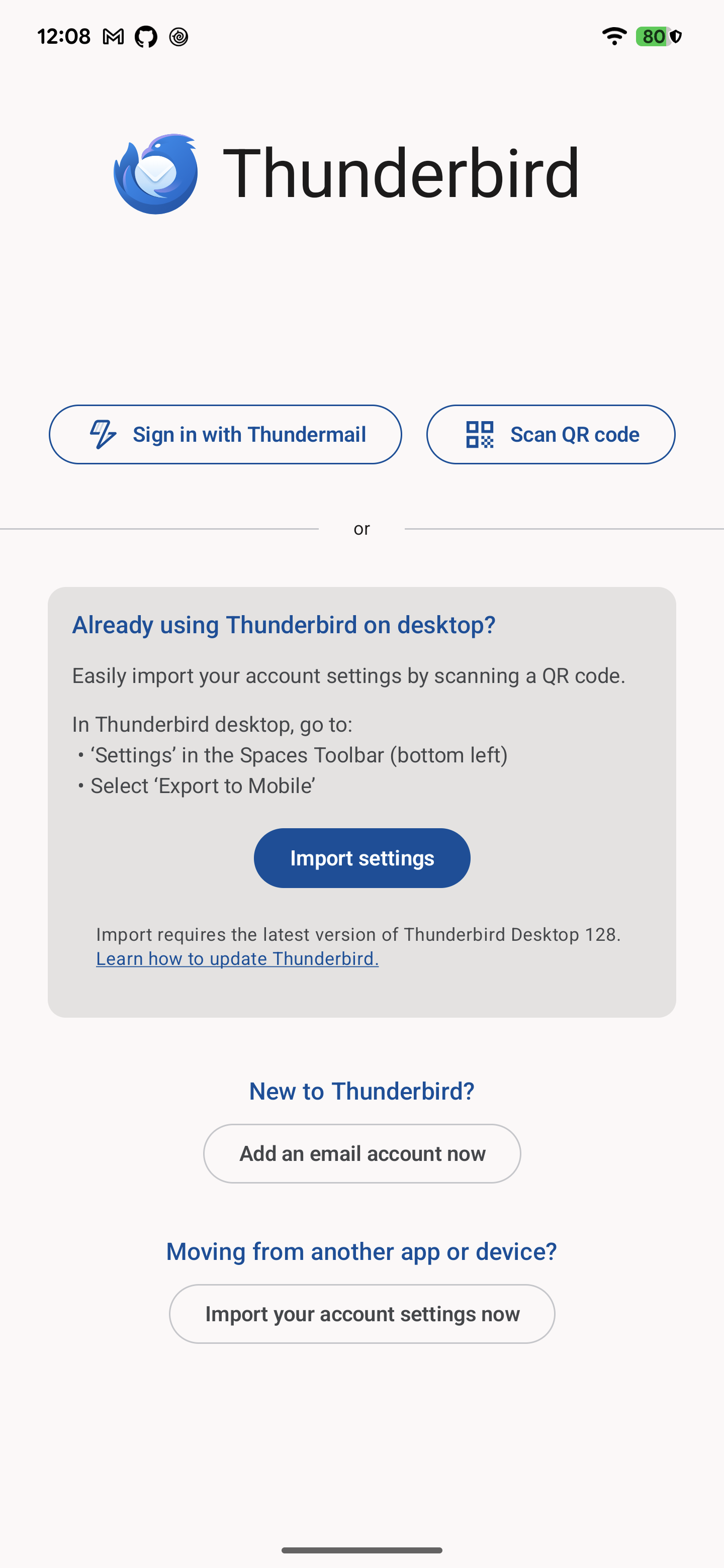
With the introduction of the Thundermail onboarding flow, the TbOnboardingMigrationScreen is now too cluttered and
confusing for users. Additionally, we currently don’t have a similar screen on K9-Mail
Proposal
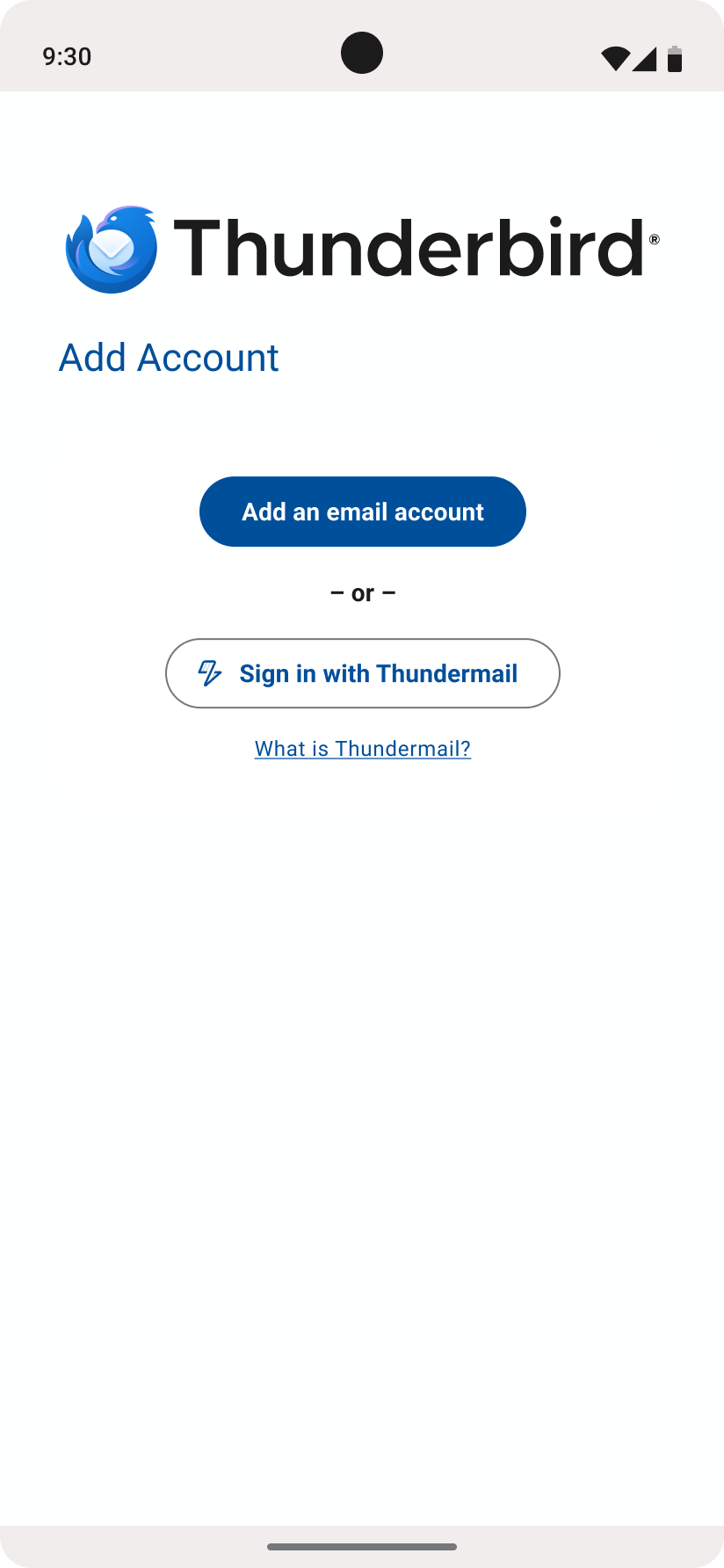
Create a new “Add Account” screen, under the :feature:thundermail:internal that will serve as a screen with 3 CTAs: “
Add an email account“, “Sign in with Thundermail”, and “What is Thundermail?”
The navigation flow should:
- When users tap on the “Add an email account” button, navigate to the “Add email account” screen to start the authentication process
- When users tap on the “Sign in with Thundermail” button, start the Thundermail OAuth flow
- When users tap on the “What is Thundermail?” button, open the https://www.tb.pro/thundermail/ url in an external browser
Additionally, we need to change the navigation of the K9-Mail to, when the user taps on the “Get started” button on the Welcome Screen, we first redirect them to the new “Add Account” screen.
Alternatives Considered
- Modify the
TbOnboardingMigrationScreento the new layout- Reject: It would be the same effort as creating a new screen
Risks & Drawbacks
- TfA users won’t be able to import data from K9-Mail through the FTU. However, they will still be able to do that after adding an account first.
UI Screenshots
| Current Thunderbird Migration Screen | Suggestion Add Account with Thundermail lean version |
|---|---|
 |  |
Open Questions
- Should we delete the
TbOnboardingMigrationScreenand its dependencies from the codebase?
Outcome
The team decided to implement the suggested screen. We might have a follow-up task for deleting the
TbOnboardingMigrationScreen and/or include the Import settings button in another screen.